Free for Windows 10 & 11
MuslimClock for your desktop
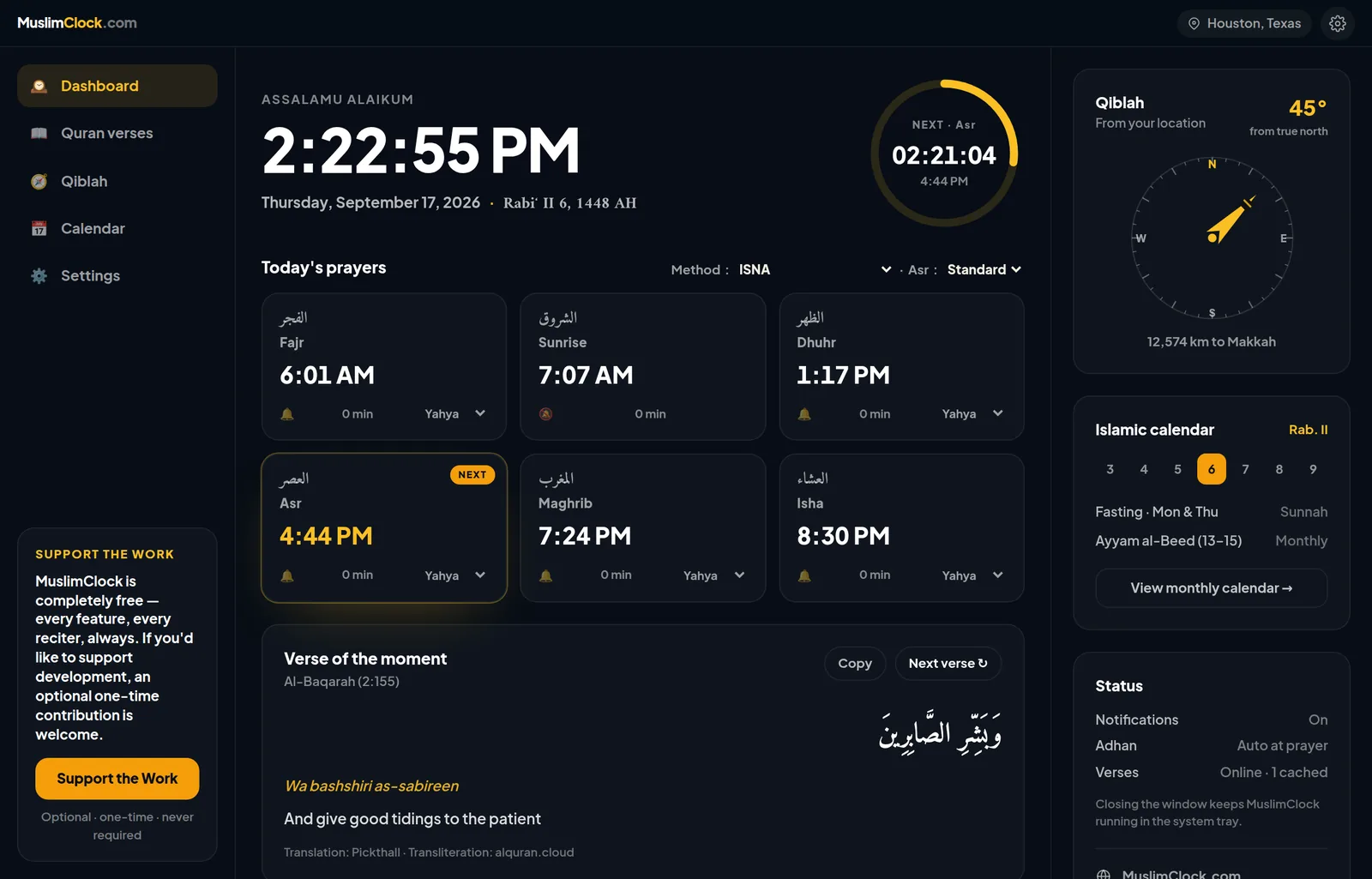
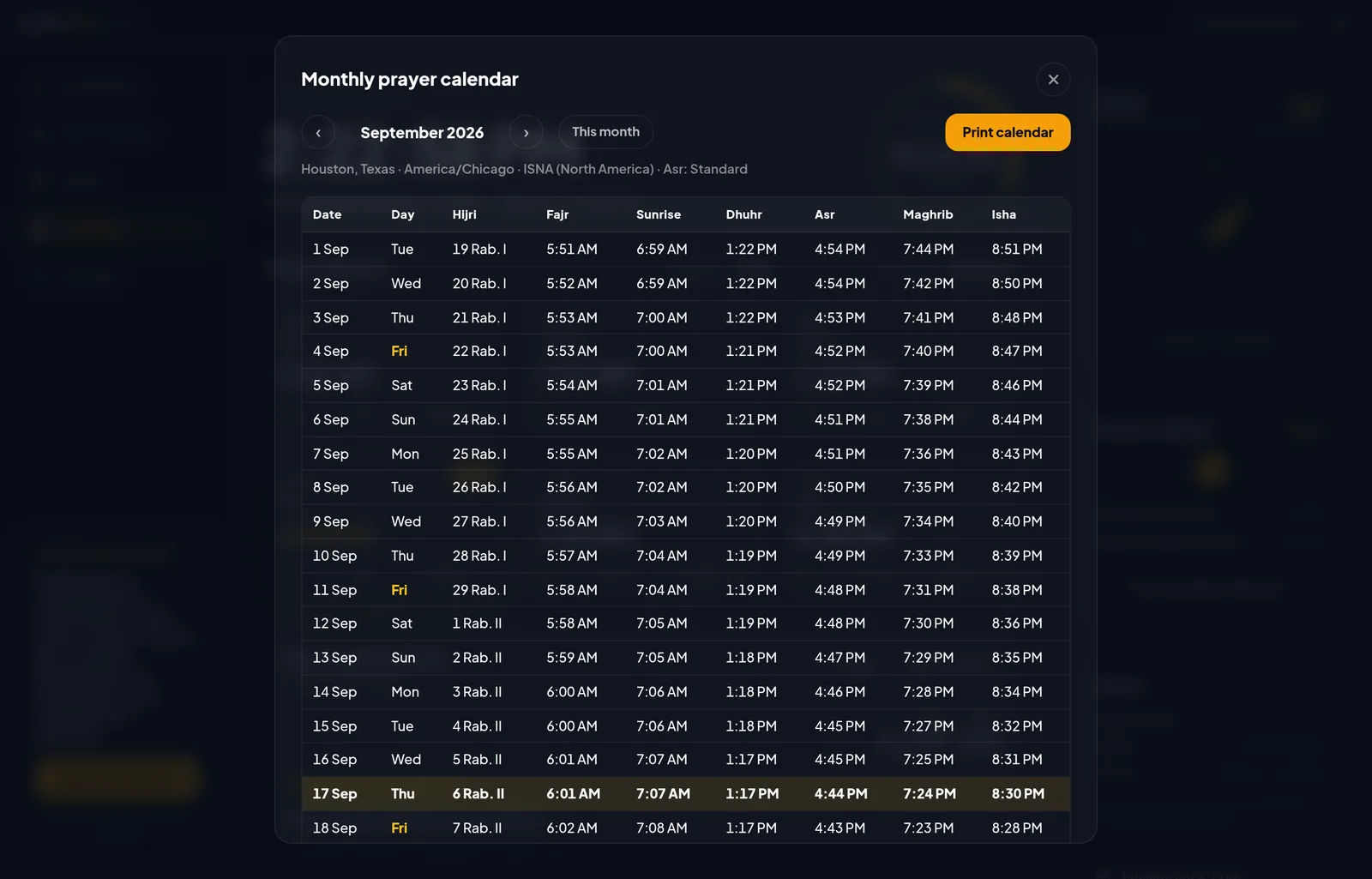
Prayer times, automatic Adhan reminders, a Qiblah compass and a printable monthly calendar — all in a fast native app that sits quietly in your system tray. All calculation methods included. No subscription, no ads.
Download for WindowsMuslimClock is completely free — every feature, every reciter, always. Support the Work is a separate, optional way to say thanks.
See it in action
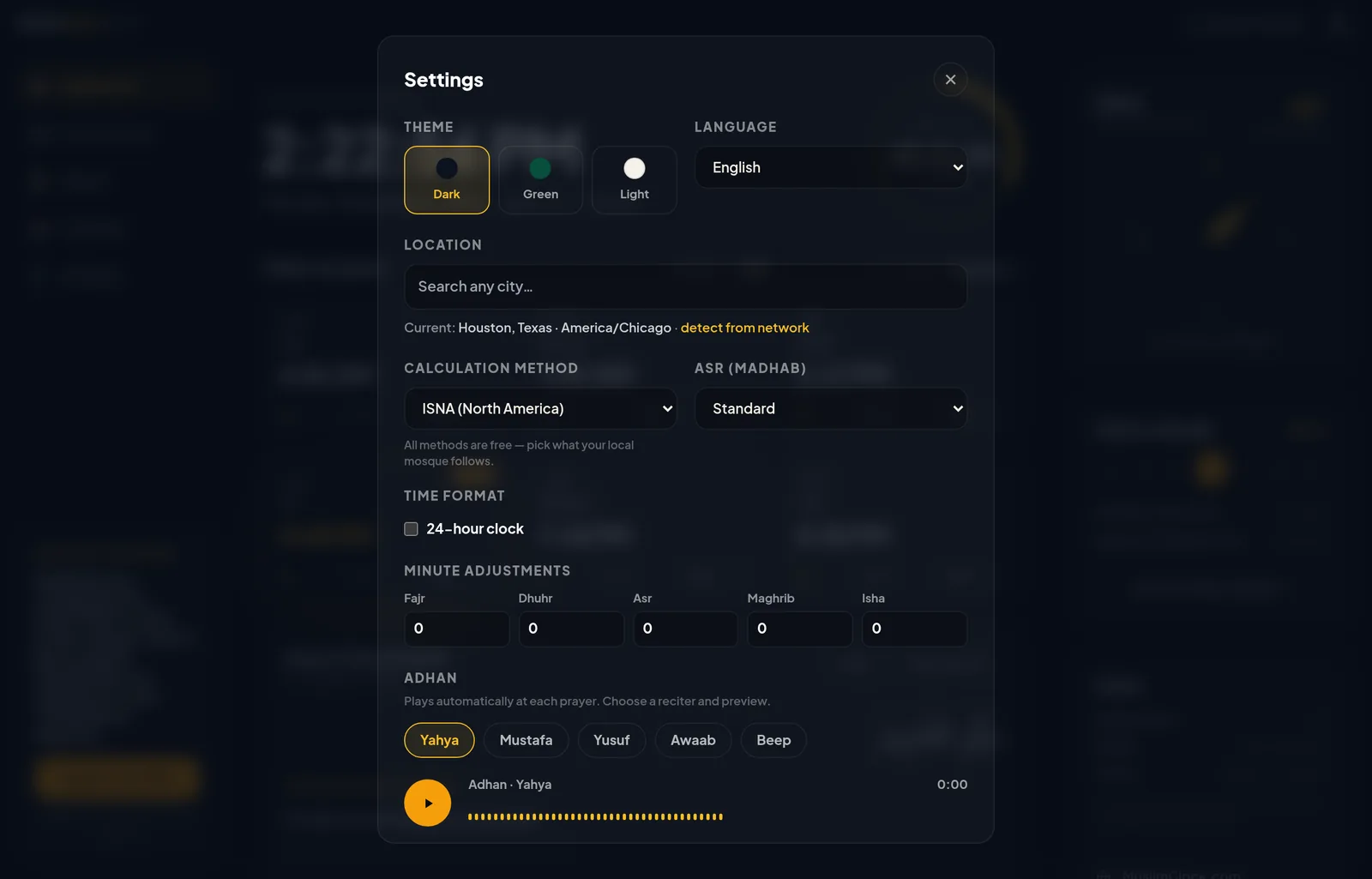
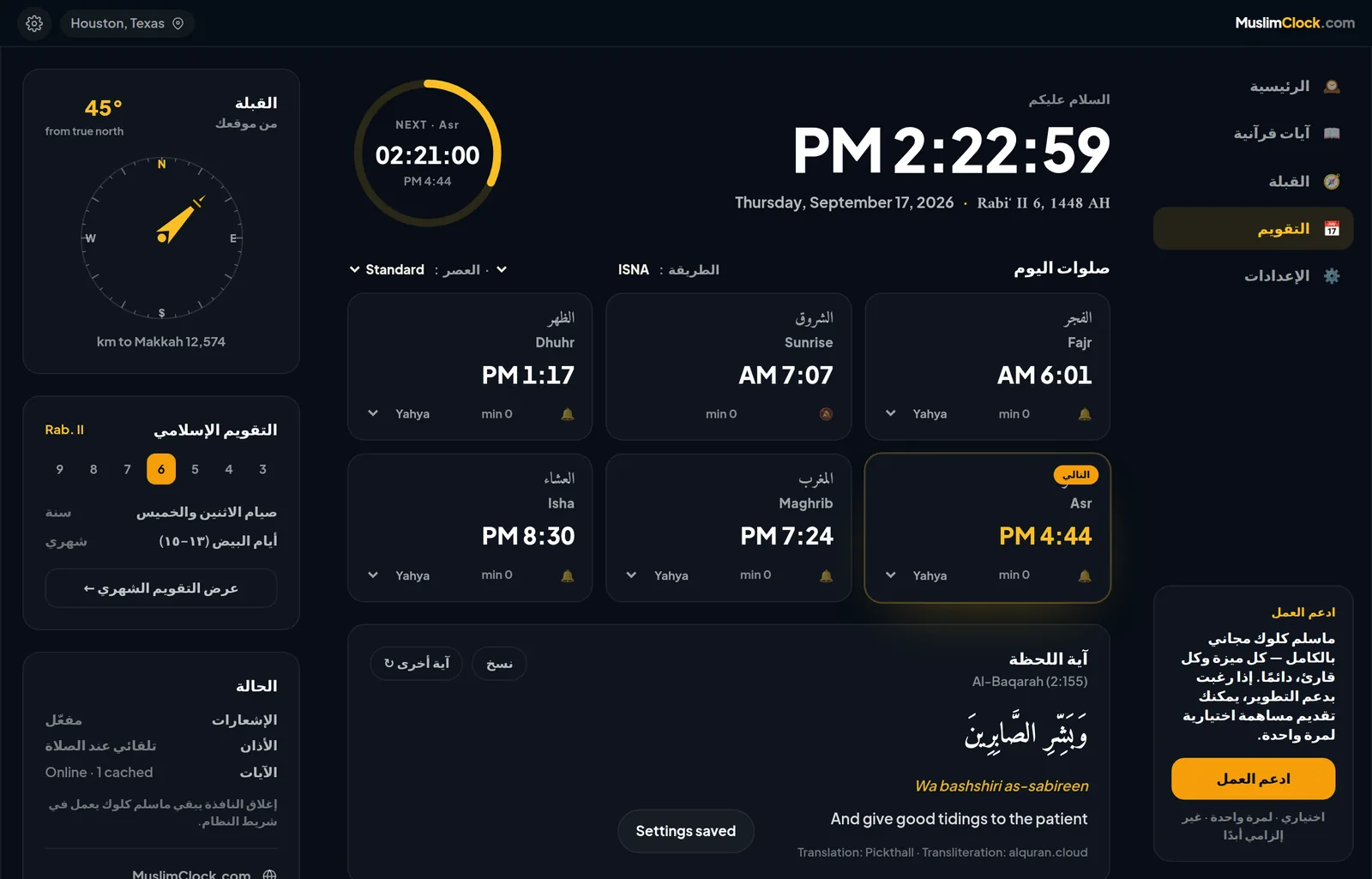
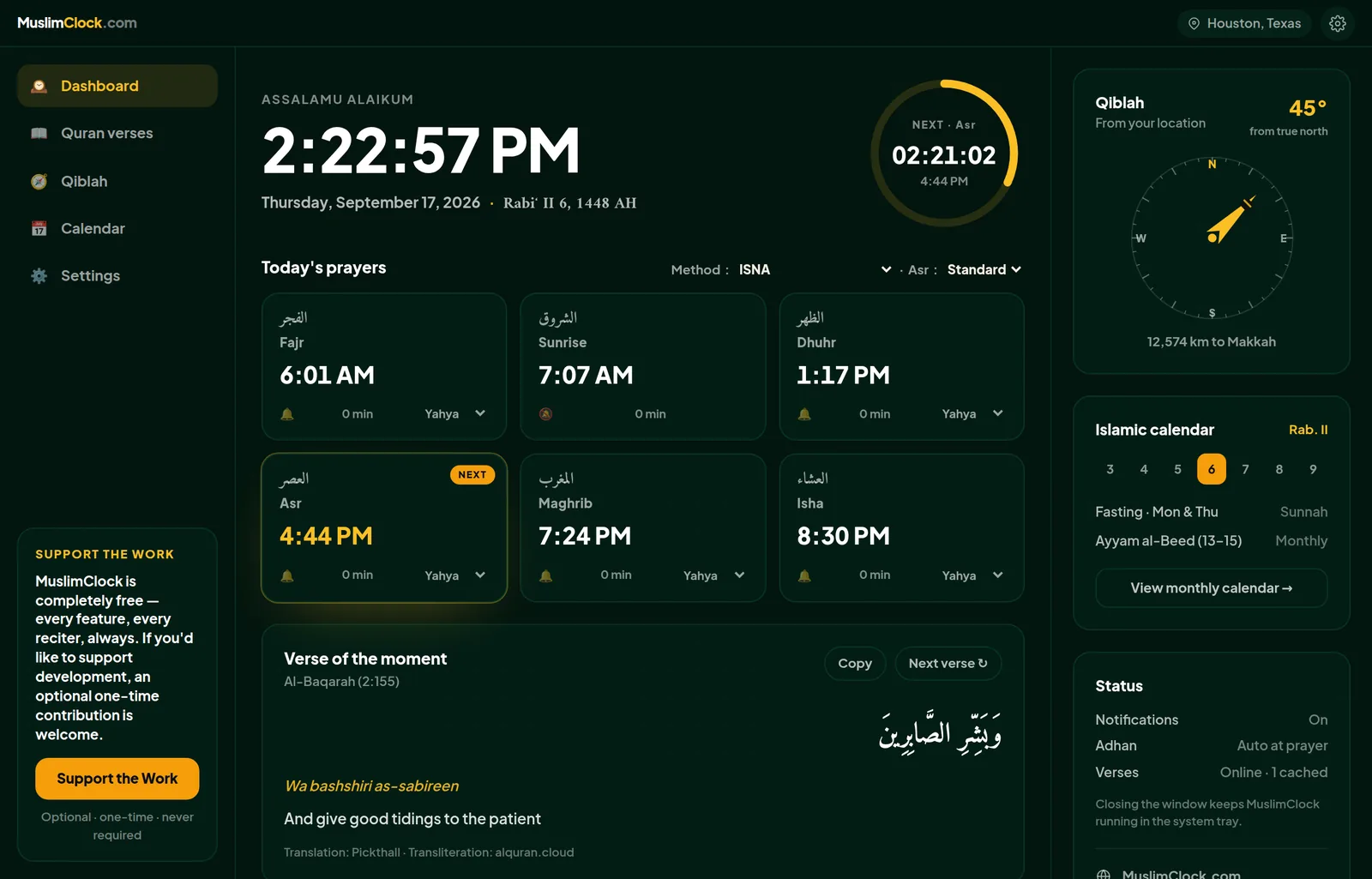
Actual screenshots of the current build — dashboard, monthly calendar, and theme/language options.
What's inside
Every calculation method, free
ISNA, Muslim World League, Umm al-Qura, Egyptian, Karachi, Diyanet and more — all twelve methods, plus Standard or Hanafi Asr, with no restrictions.
Automatic Adhan
Plays at each prayer with an optional dua afterward. Every reciter is free to use — no unlocking, no restrictions.
Qiblah compass
The great-circle bearing to the Kaaba from your exact location, shown as a live compass.
Printable monthly calendar
Every day's five prayers for the whole month, with Hijri dates — generate it and print it for your wall.
Dark, Green or Light
Three built-in themes, switchable anytime from Settings, alongside six interface languages.
Runs quietly in the tray
Closing the window keeps notifications and Adhan running in the background — no need to keep it open.
System requirements
| Operating system | Windows 10 or Windows 11 (64-bit) |
| Disk space | ~20 MB installed |
| Runtime | WebView2 (pre-installed on current Windows; auto-installed if missing) |
| Internet | Only for Quran verses, city search and updates — prayer times, Qiblah and the calendar work fully offline |
| License | Free to use; see the End User License Agreement shown on first launch |
Prefer the website?
Everything in MuslimClock is also available right here in your browser — no install needed.